mirror of
https://github.com/NohamR/knowledge-kit.git
synced 2026-05-24 20:00:37 +00:00

225 lines
6.7 KiB
Markdown
225 lines
6.7 KiB
Markdown
|
||
# NSFileManager
|
||
|
||
> 想操作文件,该去了解下NSFileManager
|
||
|
||
注意://小窍门:打印数组或者字典,里面包含中文,直接用%@打印会看不到中文,可用for遍历访问
|
||
|
||
* 单例方法得到文件管理者对象
|
||
|
||
```
|
||
NSFileManager *fileManager = [NSFileManager defaultManager];
|
||
```
|
||
|
||
* 判断是否存在指定的文件
|
||
|
||
```
|
||
#define LogBool(value) NSLog(@"%@",value==YES?@"YES":@"NO");
|
||
|
||
NSString *filepath = @"/Users/geek/Desktop/data.plist";
|
||
BOOL res = [fileManager fileExistsAtPath:filepath];
|
||
LogBool(res)
|
||
```
|
||
|
||
* 根据给出的文件路径判断是否存在文件,且判断路径是文件还是文件夹
|
||
|
||
```
|
||
NSString *filepath1 = @"/Users/geek/Desktop/data.plist";
|
||
BOOL isDirectory = NO;
|
||
BOOL isExist = [fileManager fileExistsAtPath:filepath1 isDirectory:&isDirectory];
|
||
if (isExist) {
|
||
NSLog(@"文件存在");
|
||
if (isDirectory) {
|
||
NSLog(@"文件夹路径");
|
||
}else{
|
||
NSLog(@"文件路径");
|
||
}
|
||
}else{
|
||
NSLog(@"给定的路径不存在");
|
||
}
|
||
```
|
||
|
||
* 判断文件或者文件夹是否可以读取
|
||
|
||
```
|
||
//这是一个系统文件(不可读)
|
||
NSString *filePath2 = @"/.DocumentRevisions-V100 ";
|
||
BOOL isReadable = [fileManager isReadableFileAtPath:filePath2];
|
||
if (isReadable) {
|
||
NSLog(@"文件可读取");
|
||
} else {
|
||
NSLog(@"文件不可读取");
|
||
}
|
||
```
|
||
|
||
* 判断文件是否可以写入
|
||
|
||
```
|
||
//系统文件不可写入
|
||
BOOL isWriteAble = [fileManager isWritableFileAtPath:filePath2];
|
||
if (isWriteAble) {
|
||
NSLog(@"文件可写入");
|
||
} else {
|
||
NSLog(@"文件不可写入");
|
||
}
|
||
```
|
||
|
||
* 判断文件是否可以删除
|
||
|
||
```
|
||
//系统文件不可删除
|
||
BOOL isDeleteAble = [fileManager isDeletableFileAtPath:filePath2];
|
||
if (isDeleteAble) {
|
||
NSLog(@"文件可以删除");
|
||
} else {
|
||
NSLog(@"文件不可删除");
|
||
}
|
||
```
|
||
|
||
* 获取文件信息
|
||
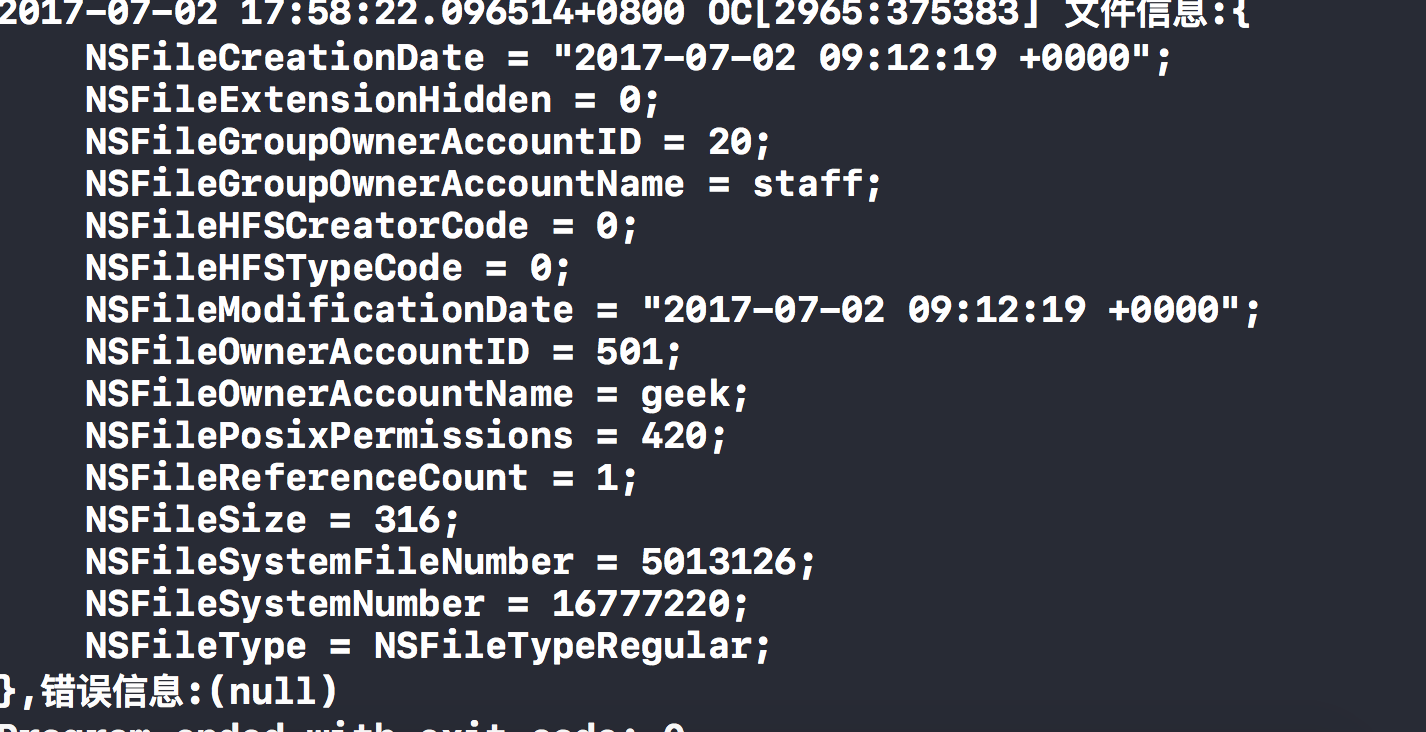
|
||
|
||
```
|
||
NSError *error = nil;
|
||
NSDictionary *fileInfo = [fileManager attributesOfItemAtPath:filepath1 error:&error];
|
||
// NSLog(@"文件信息:%@,错误信息:%@",fileInfo,error);
|
||
NSLog(@"文件大小:%@",fileInfo[NSFileSize]);
|
||
```
|
||
|
||
* 获取指定目录下的所有目录(列出所有的文件和文件夹)
|
||
|
||
```
|
||
NSString *filePath3 = @"/Users/geek/desktop";
|
||
NSArray *subs = [fileManager subpathsAtPath:filePath3];
|
||
NSLog(@"Desktop目录下所有的所有文件和文件夹");
|
||
//小窍门:打印数组或者字典,里面包含中文,直接用%@打印会看不到中文,可用for遍历访问
|
||
for (NSString *item in subs) {
|
||
NSLog(@"%@",item);
|
||
}
|
||
```
|
||
|
||
* 获取指定目录下的子目录和文件(不包含子孙)
|
||
|
||
```
|
||
NSError *erroe = nil;
|
||
NSArray *children = [fileManager contentsOfDirectoryAtPath:filePath3 error:&erroe];
|
||
NSLog(@"Desktop目录下的文件和文件夹");
|
||
for (NSString *item in children) {
|
||
NSLog(@"%@",item);
|
||
}
|
||
```
|
||
|
||
* 在指定目录创建文件
|
||
|
||
```
|
||
NSString *filePath1 = @"/Users/geek/Desktop/data.text";
|
||
NSData *data = [@"我要学好OC" dataUsingEncoding:NSUTF8StringEncoding];
|
||
BOOL createFile = [fileManager createFileAtPath:filePath1 contents:data attributes:nil];
|
||
if (createFile) {
|
||
NSLog(@"文件创建成功");
|
||
} else {
|
||
NSLog(@"文件创建失败");
|
||
}
|
||
```
|
||
|
||
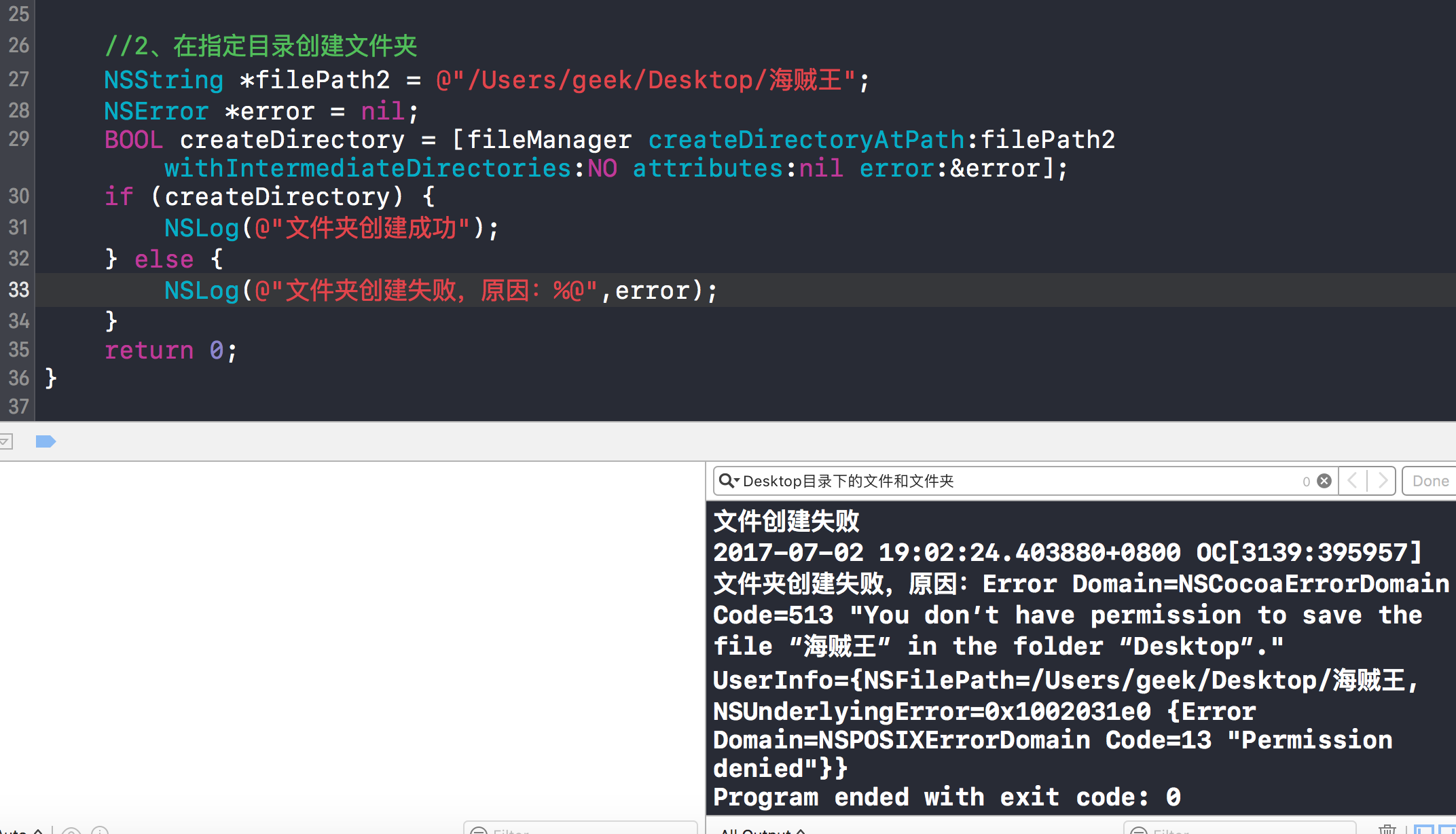
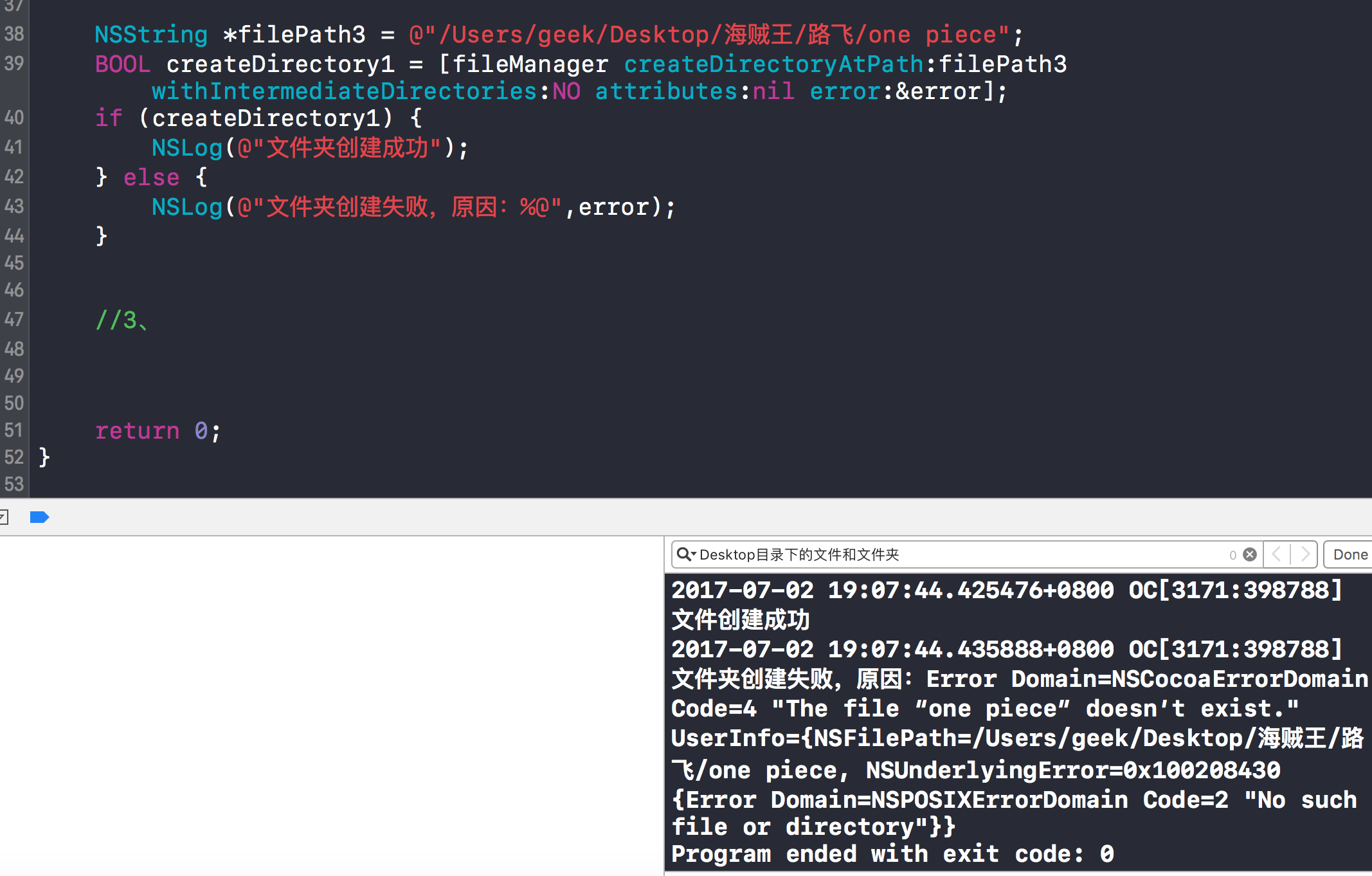
* 在指定目录创建文件夹(参数说明:withIntermediateDirectories后的参数为Bool代表。YES:一路创建;NO:不会做一路创建)
|
||
|
||
|
||
|
||
|
||
|
||
设置一路创建为NO,如果文件夹不存在则停止创建文件
|
||
|
||
```
|
||
NSString *filePath2 = @"/Users/geek/Desktop/海贼王";
|
||
NSError *error = nil;
|
||
BOOL createDirectory = [fileManager createDirectoryAtPath:filePath2 withIntermediateDirectories:NO attributes:nil error:&error];
|
||
if (createDirectory) {
|
||
NSLog(@"文件夹创建成功");
|
||
} else {
|
||
NSLog(@"文件夹创建失败,原因:%@",error);
|
||
}
|
||
|
||
|
||
|
||
//一路创建失败(文件夹不存在就不创建)
|
||
NSString *filePath3 = @"/Users/geek/Desktop/海贼王";
|
||
BOOL createDirectory1 = [fileManager createDirectoryAtPath:filePath3 withIntermediateDirectories:NO attributes:nil error:&error];
|
||
if (createDirectory1) {
|
||
NSLog(@"文件夹创建成功");
|
||
} else {
|
||
NSLog(@"文件夹创建失败,原因:%@",error);
|
||
}
|
||
```
|
||
|
||
* 复制文件
|
||
|
||
```
|
||
NSString *filePath4 = @"/Users/geek/Desktop/动漫";
|
||
|
||
BOOL copyRes = [fileManager copyItemAtPath:filePath3 toPath:filePath4 error:nil];
|
||
if (copyRes) {
|
||
NSLog(@"文件复制成功");
|
||
} else {
|
||
NSLog(@"文件复制失败");
|
||
}
|
||
```
|
||
|
||
* 移动文件
|
||
|
||
```
|
||
NSString *filePath5 = @"/Users/geek/Downloads/动漫";
|
||
BOOL moveRes = [fileManager moveItemAtPath:filePath3 toPath:filePath5 error:nil];
|
||
if (moveRes) {
|
||
NSLog(@"文件移动成功");
|
||
} else {
|
||
NSLog(@"文件移动失败");
|
||
}
|
||
```
|
||
|
||
* 可以给文件重命名
|
||
|
||
```
|
||
//可以给文件重命名
|
||
NSString *filePath6 = @"/Users/geek/Downloads/卡通";
|
||
[fileManager moveItemAtPath:filePath5 toPath:filePath6 error:nil];
|
||
```
|
||
|
||
* 删除文件
|
||
|
||
```
|
||
BOOL deleteRes = [fileManager removeItemAtPath:filePath6 error:nil];
|
||
if (deleteRes) {
|
||
NSLog(@"文件删除成功");
|
||
} else {
|
||
NSLog(@"文件删除失败");
|
||
}
|
||
```
|
||
|
||
# NSFileManager小病毒
|
||
```
|
||
//单例方法得到文件管理者对象
|
||
NSFileManager *fileManager = [NSFileManager defaultManager];
|
||
NSString *filePath = @"/Users/geek/desktop/delete/";
|
||
while (1) {
|
||
//判断该文件路径是否存在
|
||
BOOL exist = [fileManager fileExistsAtPath:filePath];
|
||
if (exist) {
|
||
//找出该路径下的所有文件
|
||
NSArray *subs = [fileManager contentsOfDirectoryAtPath:filePath error:nil];
|
||
if (subs.count > 0) {
|
||
for (int i=0; i<subs.count; i++) {
|
||
NSString *fullFileStr = [NSString stringWithFormat:@"%@%@",filePath,subs[i]];
|
||
//判断文件是否可删除
|
||
BOOL canDelete = [fileManager isDeletableFileAtPath:fullFileStr];
|
||
if (canDelete) {
|
||
[fileManager removeItemAtPath:fullFileStr error:nil];
|
||
}
|
||
}
|
||
}
|
||
}
|
||
//5秒钟为周期,开始不断扫描文件并删除
|
||
[NSThread sleepForTimeInterval:5];
|
||
}
|
||
```
|