mirror of
https://github.com/NohamR/knowledge-kit.git
synced 2026-05-25 12:27:15 +00:00

18 lines
1.4 KiB
Markdown
18 lines
1.4 KiB
Markdown
# 如何优雅地调试手机网页
|
||
> 在web开发的过程中,抓包、调试页面样式、查看请求头是很常用的技巧。其实在iOS开发中,这些技巧也能用(无论是模拟器还是真机),不过我们需要用到mac自带的浏览器Safari。所以,本文将讲解如何使用Safari对iOS程序中的webview进行调试。
|
||
|
||
* 1、打开真机(模拟器)的开发者模式
|
||
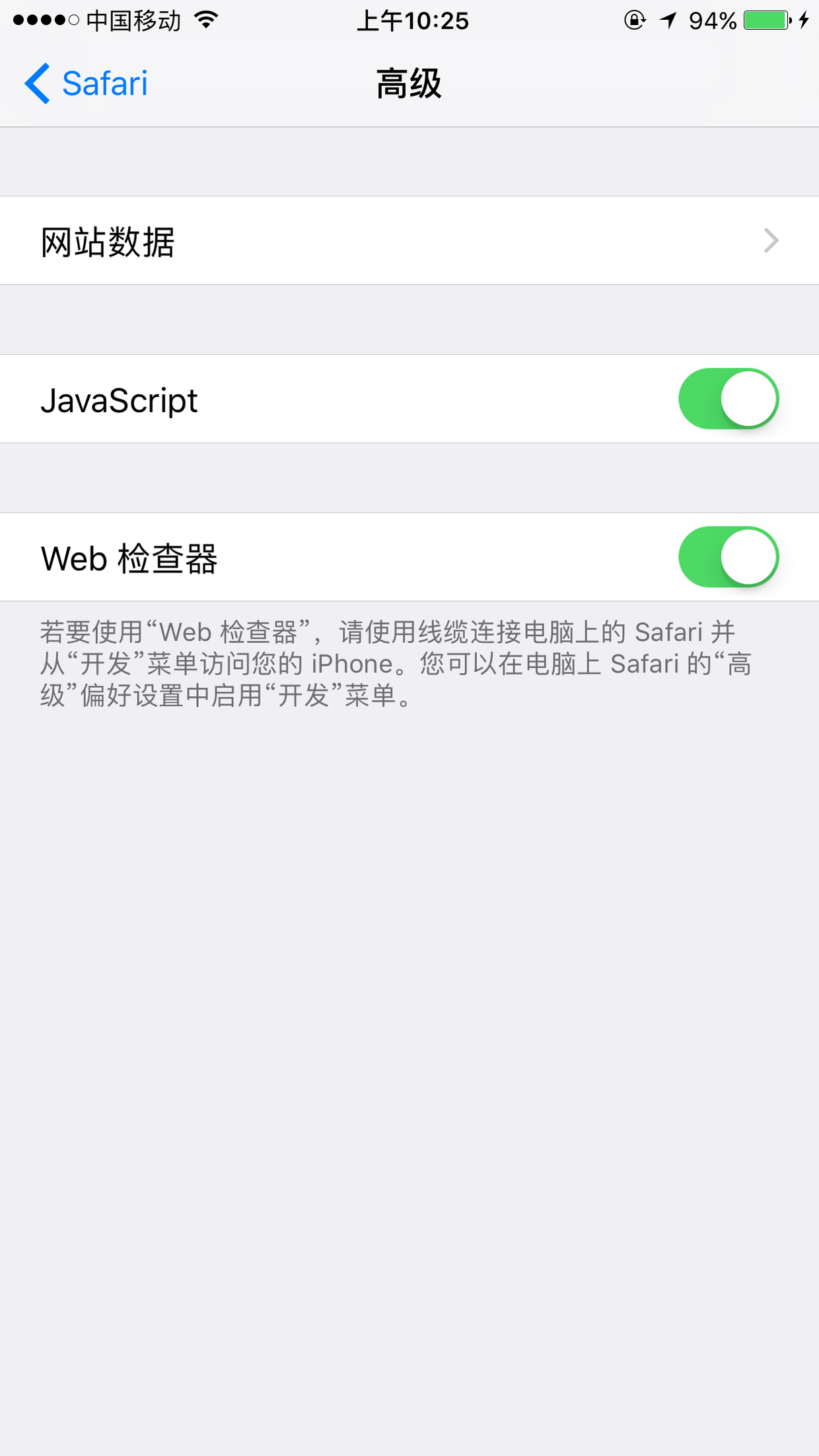
【设置】-> 【Safari】 -> 【高级】 -> 【Web检查器】打开
|
||
|
||
|
||
* 2、打开MBP上的Safari的开发者模式:
|
||
【Safari】->【偏好设置】->【高级】-> 【在菜单栏中显示“开发”菜单】勾选。
|
||
|
||
* 3、调试你的WebView页面。
|
||
|
||
* 4、在MBP的Safari选项中的开发,看到手机,右击可以看到正在调试的WebView的url
|
||

|
||
|
||
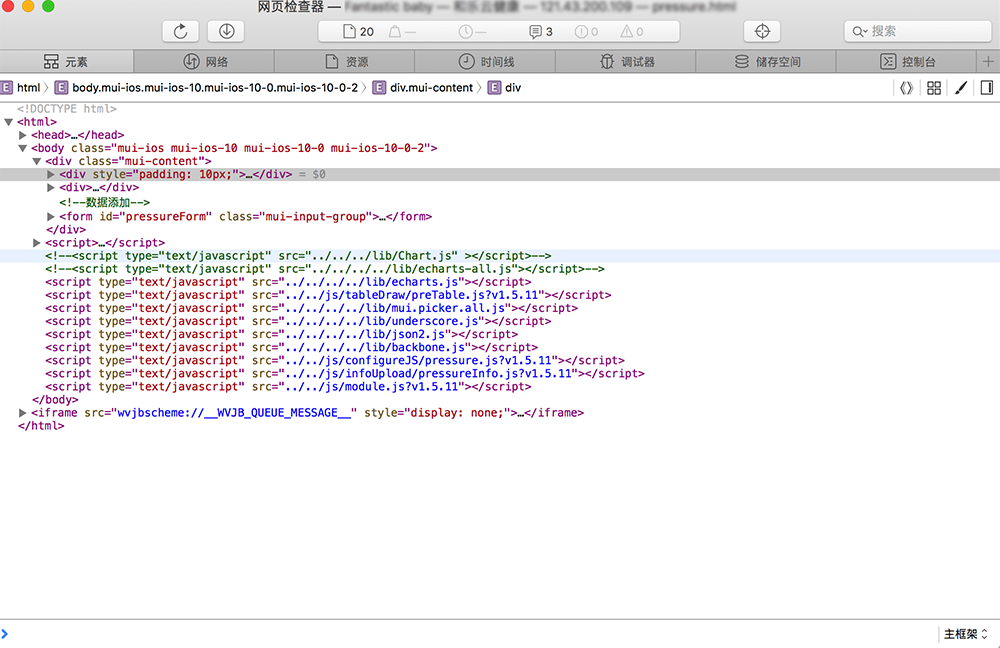
* 5、在弹出的这个框里面可以查看网页源代码以及可以调试样样式、查看localStorage、sessionStorage、Cookie的值等等,给原生端调试带来很大方便,不过这样前端调试更加方便啊,谷歌的模拟器不能完全模真实环境下的iphone使用效果啊。
|
||
|